


Tutorials on ASP.NET Core, Blazor, jQuery, JavaScript, Entity Framework, Identity, WordPress, SQL, HTML & more
Exposed List of SEO Terms that are absolutely essential for gaining traffic

Every day, we look at lots of SEO Terms here and there on the internet, but could not understand the meanings of most of them. If you are a content marketer, SEO professional, website owner or any way related to some Internet service then it becomes utmost important to know the meanings of these terms.
The importance of SEO can be considered in the fact that 72% of marketers consider SEO as a successful mean to achieve their marketing objectives.
(more…)Top 5 Websites to Create Quality Backlinks to your site

Many new websites often struggle to gain traffic from the web, and eventually they die. This is because they do not have backlinks to their site. Creating quality backlinks to your site will always give a huge boost to its SERPS Rankings, and so it will make the traffic from search engines rise exponentially.
What are Backlinks and the Benefits they Provide
Backlinks are just normal links to your site, located in some other website. For example CNN publishes a story on a Home Based Business that sells Handmade Scarves in its website. They also provide a link of that website in their story. Thus the owner’s website will have a backlink created by CNN.
(more…)Finest ways you Need To Know for Creating Better Content like a Boss

Every website or blog needs quality contents that are appreciated by the audience. Writing high-quality content is the first thing which you should do. Make some serious efforts so that your audience understand what your content is trying to convey to them. This will bring you good user engagement in your blog and ultimately give it high Search Engine Rankings.
Another research says that 76% marketers would like to create more content next year.
(more…)SEMrush – The Perfect SEO Tool You Need To Have

SEMrush is the best SEO Tool available in the market today. It offers all the SEO necessities like tracking keyword's rank, checking competitors keyword's rank, do SEO Site Audit, and many more things. More than 1 million people use SEMrush daily to track their website's performance.
In this tutorial I will explain you how to use this powerful SEO Tool to get top rank of your website in SERPS.
(more…)What is FeedBurner, What is RSS, How to do their setup in your website

Whenever you publish a new content to your website you need to notify your users. For this, you can either send manual emails or you can take help of FeedBurner for sending these emails automatically. FeedBurner does all you work here and automatically sends email to your users when you have published a new content on your website.
(more…)Tutorial – Styling your Contact Form 7 forms using 2 ways – 1. CSS way 2. CSS Hero Plugin
Contact Form 7 is a powerful plugin that lets you build custom HTML contact forms for your visitors. If you want to change how your forms look and feel, you can do so easily with CSS in your WordPress site. And if you have no experience with HTML or CSS (or simply don't want to learn it), the CSS Hero plugin lets you style your forms without writing any code.
In this tutorial, you'll learn all about Contact Form 7 styling and how to apply CSS to your forms.
(more…)How to use Contact Form 7 reCaptcha to cut spams in WordPress?
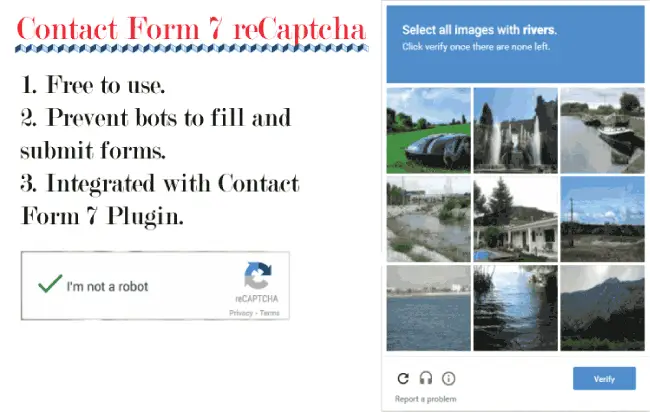
Contact Form 7 reCAPTCHA adds Google's reCAPTCHA protection to your Contact Form 7 forms. It cuts down on spam by stopping bots from submitting forms on your website. reCAPTCHA is a free Google service, and you can integrate it with the Contact Form 7 plugin in just a few clicks.
How Does reCaptcha Work
To use reCAPTCHA on your website, you first need to generate API keys for your site. You then use these keys to connect reCAPTCHA to your forms.
(more…)Create amazing Web Forms using Contact Form 7 Plugin in WordPress

Every website needs a web form to collect information from its users. A Web Form can include any number of fields, such as text boxes, radio buttons, checkboxes, drop-down lists, and more. When a user fills out and submits the form, the information is sent to the website admin through an automatic email.
Contact Form 7
You can easily create web forms on your WordPress website with the Contact Form 7 plugin (also known as CF7). It is one of the most popular form plugins, with over 10 million active installations.
(more…)Using FileZilla FTP Client to Upload and Download Files from Hosting Server

Every day we deal with the transfer of website files (to and fro) from the hosting server. This can be done very easily from FileZilla software. FileZilla is not only a free software, but is also available for multiple platforms including Windows, Mac OS X & Linux.
What is FTP Client
FTP Client Software works on FTP protocol (File Transfer Protocol), using this protocol the FTP client software can upload and download files to and from the hosting server.
(more…)What is CloudFlare and how it gives Speed and Security to your website ?

CloudFlare is a Content Delivery Network (CDN) that sits between websites and their visitors to make sites faster, more secure, and more reliable. It's one of the largest pieces of internet infrastructure, and a big share of websites route traffic through it.
Cloudflare has data centers in 330 cities across more than 120 countries. When you put a site behind Cloudflare, you point your domain's DNS at them, so visitor requests go to Cloudflare's global network of data centers first. Cloudflare can then serve cached copies of your content from a location near the visitor, filter out malicious traffic, and pass only legitimate requests to your actual server.
What it offers:
- CDN (content delivery network) : caches your site's files worldwide so pages load faster.
- DDoS protection : absorbs floods of junk traffic meant to knock a site offline.
- Web application firewall and bot management : blocks attacks and scrapers.
- DNS : it runs one of the fastest public DNS services, including the 1.1.1.1 resolver.
- SSL/TLS : provides HTTPS encryption for sites, often for free.
- Developer platform : Workers (serverless code that runs at the edge), R2 (object storage), and Pages (static site hosting).
- Zero Trust / security tools : replaces traditional VPNs for companies securing employee access to internal apps.
Its free tier is a big reason for its popularity, since small sites and hobbyists get basic protection and CDN service at no cost.
The tradeoff is that because so much of the web depends on Cloudflare, an outage on their end can take down large chunks of the internet at once.
(more…)Please Consider Donating us
We are helping millions of Beginners and Professionals to learn new programming technologies.
Please consider donating us:




HELLO EVERYONE
 Welcome to YogiHosting - A Programming Tutorial Website. It is used by millions of people around the world to learn and explore about ASP.NET Core, Blazor, jQuery, JavaScript, Docker, Kubernetes and other topics.
SUBSCRIBE TO NEWSLETTER
Enter your email address to subscribe to this blog and receive notifications of new posts by email.
Join 90K other subscribers