


Tutorials on ASP.NET Core, Blazor, jQuery, JavaScript, Entity Framework, Identity, WordPress, SQL, HTML & more
Tutorial: jQuery removeClass() Method
As the name suggests, the jQuery removeClass() method removes one or more classes from the selected element(s). To remove multiple classes, separate the class names with spaces.
(more…)jQuery addClass() Method Tutorial
The jQuery addClass() method adds one or more CSS classes to the selected element(s). To add multiple classes, separate the class names with spaces.
(more…)jQuery hasClass() Method
In jQuery, if you want to find out whether some elements (or a single element) are assigned a particular CSS Class then use the .hasClass() method. It returns true when it finds the CSS class else returns false.
Syntax of jQuery hasClass
$(selector).hasClass("classname");The selector can either be an element or a group of elements.
(more…)ASP.NET MVC – Client Side Validation of Controls like Textbox, Dropdownlist, Checkbox, Radiobutton with jQuery
In ASP.NET MVC, Client Side Validation is performed using jQuery along with two plugins: jQuery Validation and jQuery Unobtrusive Validation.
Download jQuery, jQuery Validation & jQuery Unobtrusive Validation from NuGet
The first step is to add all three libraries to your project. You can easily install them using NuGet Package Manager.
(more…)ASP.NET MVC Data Annotation – Server Side Validation of Controls like Textbox, Dropdownlist, Checkbox, Radiobutton & more
Whenever a form is submitted then you should ensure to do the Server Side Validation of every control so that the received data is correct and valid.
Some developers provide only client side validation and leave the server side validation. This is a wrong practice as users can disable JavaScript on their browser and bypass the Client Side Validation. Therefore always make sure to do Server Side Validation in your project.
(more…)jQuery Selector – The Complete Usage & Tutorial Guide

The jQuery Selector starts with the dollar sign and parentheses - $(), and finds one or more HTML elements in the DOM. We can use name, id, CSS Class, type, attribute, etc to find elements using the jQuery Selector.
The below jQuery Selector finds all the div elements in the DOM.
(more…)Implementing TheMovieDB (TMDB) API with jQuery AJAX
The TheMovieDB (TMDB) API provides all the information of movies, actors and series, free of charge. You can integrate this API in your Website using only jQuery AJAX.
Introduction
In this tutorial I will allow user to search for any actor (like Tom Cruise, Nicole kidman, Tom Hanks, etc). The actor results will be shown in a grid structure created with a div element. On clicking on any actor in this result, the whole information of that actor is shown to the user.
(more…)Implementing TheMovieDB (TMDB) API in ASP.NET MVC – [with full codes]
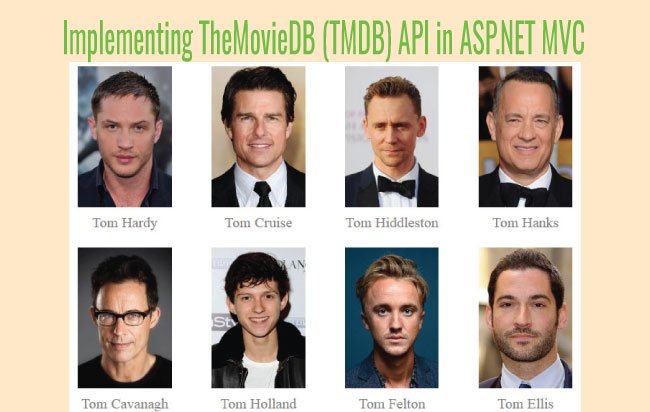
Introduction to TheMovieDB API
The Movie Database (TMDb) is a community built movie and TV database. Every piece of data has been added dating back to 2008. TMDb's strong international focus and breadth of data is largely unmatched and available through the mean of TheMovieDb API. You can use this API to create different sort of features like searching movie, actors, TV series, companies, reviews and much more.
(more…)Quickly understanding the jQuery Document Ready – $(document).ready() method

The jQuery Document Ready is an event that executes JavaScript or jQuery code only after the HTML document has been completely loaded and its DOM (Document Object Model) has been created. In simple words, it ensures that all HTML elements are available before jQuery tries to access or manipulate them.
(more…)How to Create Bootstrap Modal in your Website

A Bootstrap Modal is a dialog box that appears on top of the page to show important information to a site's visitors. Common uses include confirmations (such as cookie consent or deleting a profile), session timeout warnings, and announcements like a new product launch. Website owners also use modals to collect email addresses for newsletter subscriptions.
(more…)Please Consider Donating us
We are helping millions of Beginners and Professionals to learn new programming technologies.
Please consider donating us:




HELLO EVERYONE
 Welcome to YogiHosting - A Programming Tutorial Website. It is used by millions of people around the world to learn and explore about ASP.NET Core, Blazor, jQuery, JavaScript, Docker, Kubernetes and other topics.
SUBSCRIBE TO NEWSLETTER
Enter your email address to subscribe to this blog and receive notifications of new posts by email.
Join 90K other subscribers