


Filters in ASP.NET Core Minimal API
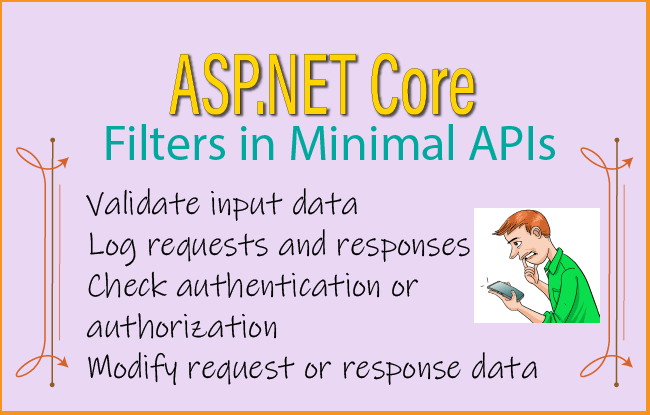
Filters in ASP.NET Core Minimal APIs are components that execute before and/or after a route handler. They allow you to add common functionality such as validation, logging, authentication checks, or modifying requests and responses without repeating code in every endpoint.

This tutorial is part of the ASP.NET Core Web API & Minimal API series, which contains every tutorial you need to master this area:
- 1. API Controllers – Creating API in ASP.NET Core
- 2. How to Call Web API in ASP.NET Core
- 3. How to Call Web API from jQuery
- 4. Call Web API from JavaScript with XMLHttpRequest (XHR)
- 5. Create ASP.NET Core Minimal API from Start till Finish
- 6. ASP.NET Core Minimal API Parameter Binding
- 7. Complete Guide to Minimal API Response
- 8. Filters in ASP.NET Core Minimal API
- 9. How to perform Unit and Integration Testing in Minimal APIs
- 10. How to use JSON Patch in ASP.NET Core Minimal API
- 11. Effortless ASP.NET Core Minimal API Testing with the Visual Studio HTTP Editor
- 12. OpenAPI Support in ASP.NET Core Web API Apps: A Complete Guide
- 13. A Practical Guide to API Versioning in ASP.NET Core – Complete Guide
Uses of Filters:
- Validate input data
- Log requests and responses
- Check authentication or authorization
- Modify request or response data
- Handle exceptions
- Execute common logic for multiple endpoints
Execution Flow
Client Request
      │
      ▼
Endpoint Filter (Before)
      │
      ▼
Route Handler
      │
      ▼
Endpoint Filter (After)
      │
      ▼
Client Response
Page Contents
How to use filters in Minimal API
We use AddEndpointFilter extension method. To this method we provide a Delegate that fulfills two core roles:
- It receives the execution context: EndpointFilterInvocationContext
- It returns the next step in the pipeline: EndpointFilterDelegate
EndpointFilterInvocationContext: Provides direct access to the current request’s HttpContext and exposes an Arguments list.
Arguments List: Contains the arguments passed to the route handler. These arguments are structured in the exact order in which they appear in the handler’s declaration. A classic example is given on official Microsoft docs, check below:
var builder = WebApplication.CreateBuilder(args);

var app = builder.Build();

string ColorName(string color) => $"Color specified: {color}!";

app.MapGet("/colorSelector/{color}", ColorName)
    .AddEndpointFilter(async (invocationContext, next) =>
    {
        var color = invocationContext.GetArgument<string>(0);

        if (color == "Red")
        {
            return Results.Problem("Red not allowed!");
        }
        return await next(invocationContext);
    });

app.Run();
Here we have defined the endpoint handler.
string ColorName(string color) => $"Color specified: {color}!";This is a simple method that accepts a string parameter. If the endpoint executes successfully, it returns:
Color specified: Blue!

or

Color specified: Green!
depending on the URL.
Map the endpoint:
app.MapGet("/colorSelector/{color}", ColorName)This creates a GET endpoint.
Example URLs:
GET /colorSelector/Blue
GET /colorSelector/Green
GET /colorSelector/Red
The {color} part is a route parameter. For example:
/colorSelector/Bluebinds.
color = "Blue"and passes it to:
ColorName(color)Add an Endpoint Filter:
.AddEndpointFilter(async (invocationContext, next) => {}This attaches a filter only to this endpoint. Think of the execution order like this:
Request
   ↓
Endpoint Filter
   ↓
Endpoint Handler (ColorName)
   ↓
ResponseThe filter can:
- inspect arguments
- modify arguments
- stop execution
- modify the response
Read the endpoint argument:
var color = invocationContext.GetArgument<string>(0);invocationContext contains all arguments passed to the endpoint. The endpoint is:
string ColorName(string color)Its parameters are:
Index 0 → colorSo:
GetArgument<string>(0)returns the route value. If the URL is:
/colorSelector/Bluethen:
color == "Blue"Validate the value:
if (color == "Red")
{
    return Results.Problem("Red not allowed!");
}
If the client requests:
GET /colorSelector/Redthe filter immediately returns:
Results.Problem(...)instead of calling the endpoint. The endpoint handler never executes. The client receives a response similar to:
{
    "title": "An error occurred.",
    "detail": "Red not allowed!"
}
Continue to the endpoint:
return await next(invocationContext);next() calls the next component in the endpoint pipeline. If there are no more filters, it calls:
ColorName(color)So:
GET /colorSelector/Blueexecutes:
ColorName("Blue")and returns:
Color specified: Blue!Multiple Endpoint Filters in Minimal API
We can also add multiple Endpoint Filters to Minimal API. Think of them as layers wrapped around the endpoint, much like nested boxes. Check the below code where you notice that the endpoint itself does almost nothing. The interesting part is the filters attached to it.
var builder = WebApplication.CreateBuilder(args);

var app = builder.Build();

app.MapGet("/", () =>
    {
        app.Logger.LogInformation("             Endpoint");
        return "Test of multiple filters";
    })
    .AddEndpointFilter(async (efiContext, next) =>
    {
        app.Logger.LogInformation("Before 1st filter");
        var result = await next(efiContext);
        app.Logger.LogInformation("After 1st filter");
        return result;
    })
    .AddEndpointFilter(async (efiContext, next) =>
    {
        app.Logger.LogInformation(" Before 2nd filter");
        var result = await next(efiContext);
        app.Logger.LogInformation(" After 2nd filter");
        return result;
    })
    .AddEndpointFilter(async (efiContext, next) =>
    {
        app.Logger.LogInformation("     Before 3rd filter");
        var result = await next(efiContext);
        app.Logger.LogInformation("     After 3rd filter");
        return result;
    });

app.Run();
Map the endpoint.
app.MapGet("/", () =>
{
    app.Logger.LogInformation("             Endpoint");
    return "Test of multiple filters";
})
This creates a GET endpoint for the root URL (/).
When the endpoint finally executes, it:
- Writes “Endpoint” to the log.
- Returns the string:
Test of multiple filtersFirst Endpoint Filter:
.AddEndpointFilter(async (efiContext, next) =>
{
    app.Logger.LogInformation("Before 1st filter");

    var result = await next(efiContext);

    app.Logger.LogInformation("After 1st filter");

    return result;
})
This filter runs before the endpoint. Before calling next().
app.Logger.LogInformation("Before 1st filter");prints:
Before first filterCall next:
await next(efiContext);This passes execution to the next filter. After that filter (and eventually the endpoint) finishes, execution comes back here. Then:
app.Logger.LogInformation("After 1st filter");runs:
Second Endpoint Filter:
.AddEndpointFilter(async (efiContext, next) =>
{
    app.Logger.LogInformation(" Before 2nd filter");

    var result = await next(efiContext);

    app.Logger.LogInformation(" After 2nd filter");

    return result;
})
This behaves exactly like the first filter. It surrounds everything after it.
Third Endpoint Filter:
.AddEndpointFilter(async (efiContext, next) =>
{
    app.Logger.LogInformation("     Before 3rd filter");

    var result = await next(efiContext);

    app.Logger.LogInformation("     After 3rd filter");

    return result;
});
This is the last filter.
Calling:
await next(efiContext);doesn’t invoke another filter because none remain. Instead, it invokes the endpoint.
Execution Order:
Suppose you request:
GET /Step 1:
The first filter starts.
Before first filterIt calls:
await next()Step 2:
The second filter starts.
Before 2nd filterIt calls:
await next()Step 3:
The third filter starts.
Before 3rd filterIt calls:
await next()Step 4:
No more filters remain, so the endpoint executes.
EndpointThe endpoint returns:
Test of multiple filtersStep 5:
Execution returns to the third filter.
After 3rd filterStep 6:
Execution returns to the second filter.
After 2nd filterStep 7:
Execution returns to the first filter.
After first filterFinal Log Output:
The logs appear in this order:
Before first filter
 Before 2nd filter
     Before 3rd filter
             Endpoint
     After 3rd filter
 After 2nd filter
After first filter
Validations in Minimal API with Filters
As applications grow, validating incoming requests becomes essential to ensure data integrity, application reliability, and security. One effective way to implement validation in Minimal APIs is by using endpoint filters, which allow developers to intercept requests before they reach the endpoint handler. Endpoint filters enable validation logic to be centralized and reused across multiple endpoints, reducing code duplication and improving maintainability.
The below example performs validation with the help of filters.
app.MapPut("/works/{id}", async (int id, Work work, WorkDb db) =>
{
    var todo = await db.Works.FindAsync(id);

    if (todo is null) return Results.NotFound();

    todo.Name = work.Name;
    todo.TimeStart = work.TimeStart;
    todo.TimeEnd = work.TimeEnd;
    todo.IsComplete = work.IsComplete;

    await db.SaveChangesAsync();

    return Results.NoContent();
}).AddEndpointFilter(async (efiContext, next) =>
{
    var w = efiContext.GetArgument<Work>(1);

    var validationError = Utilities.IsValid(w);

    if (!string.IsNullOrEmpty(validationError))
    {
        return Results.Problem(validationError);
    }
    return await next(efiContext);
});
The Work class code:
public class Work
{
    public int Id { get; set; }

    public string Name { get; set; }

    public string TimeStart { get; set; }

    public string TimeEnd { get; set; }

    public bool IsComplete { get; set; }
}After defining the endpoint, the following code attaches an endpoint filter:
.AddEndpointFilter(async (efiContext, next) =>An endpoint filter executes before and/or after the endpoint handler. It can:
- validate input
- log requests
- authorize users
- measure execution time
- modify responses
In this example, it performs validation.
Accessing the Request Object.
var w = efiContext.GetArgument<Work>(1);GetArgument
Validating the Object:
var validationError = Utilities.IsValid(w);The Utilities.IsValid() method performs custom validation on the Work object.
For example, it might check that:
- Name is not empty.
- TimeStart is earlier than TimeEnd.
- Required fields are present.
It returns:
- an error message if validation fails.
- null or an empty string if validation succeeds.
Returning Validation Errors:
if (!string.IsNullOrEmpty(validationError))
{
    return Results.Problem(validationError);
}
If validation fails, the filter stops the request and returns an HTTP error response containing the validation message.
For example:
{
    "title": "An error occurred.",
    "detail": "TimeStart must be earlier than TimeEnd."
}
The endpoint handler is not executed when validation fails.
Calling the Endpoint:
return await next(efiContext);If validation succeeds, the filter calls the next stage in the pipeline, which executes the endpoint handler.
Execution flow:
HTTP Request
      │
      ▼
Endpoint Filter
      │
      ├── Validation fails
      │       │
      │       ▼
      │  Return Problem()
      │
      └── Validation succeeds
              │
              ▼
      Endpoint Handler
              │
              ▼
      Update Database
              │
              ▼
      Return 204 No Content
Benefits of Using an Endpoint Filter for Validation:
- Separation of concerns: Validation logic is kept separate from the endpoint’s business logic.
- Code reuse: The same validation filter can be applied to multiple endpoints.
- Cleaner handlers: Endpoint methods remain focused on processing valid requests.
- Consistent error handling: All validation failures can return a standardized response format.
- Improved maintainability: Validation rules can be updated in one place without modifying individual endpoints.
Implementing IEndpointFilter interface
Besides being defined as delegates, endpoint filters can also be implemented by creating a class that implements the IEndpointFilter interface. This approach encapsulates the filter logic within a reusable class, making it easier to maintain and apply across multiple endpoints. The following code demonstrates the previous validation filter implemented as a class that implements the IEndpointFilter interface:
public class WorkIsValidFilter : IEndpointFilter
{
    private ILogger _logger;

    public WorkIsValidFilter(ILoggerFactory loggerFactory)
    {
        _logger = loggerFactory.CreateLogger<WorkIsValidFilter>();
    }

    public async ValueTask<object?> InvokeAsync(EndpointFilterInvocationContext efiContext,
        EndpointFilterDelegate next)
    {
        var work = efiContext.GetArgument<Work>(1);

        var validationError = Utilities.IsValid(work!);

        if (!string.IsNullOrEmpty(validationError))
        {
            _logger.LogWarning(validationError);
            return Results.Problem(validationError);
        }
        return await next(efiContext);
    }
}
Filters that implement the IEndpointFilter interface can access services registered in the Dependency Injection (DI) container through constructor injection or service resolution, as demonstrated in the previous example. However, while endpoint filters can use dependencies provided by DI, the filter instances themselves are not resolved directly from the DI container.
The “WorkIsValidFilter” is applied to the following endpoints:
app.MapPut("/works/{id}", async (int id, Work work, WorkDb db) =>
{
    var todo = await db.Works.FindAsync(id);

    if (todo is null) return Results.NotFound();

    todo.Name = work.Name;
    todo.TimeStart = work.TimeStart;
    todo.TimeEnd = work.TimeEnd;
    todo.IsComplete = work.IsComplete;

    await db.SaveChangesAsync();

    return Results.NoContent();
}).AddEndpointFilter<WorkIsValidFilter>();
Authentication & Authorization in Minimal API
Authentication verifies the identity of a user before allowing access to an API. Once the user’s identity is established, authorization determines whether the authenticated user has permission to access specific API resources.
In ASP.NET Core, authorization is handled by the IAuthorizationService, which is registered when you call the AddAuthorization extension method.
In the following example, the /hello endpoint is protected by an authorization policy. To access this endpoint, the authenticated user must satisfy two requirements:
- Belong to the “admin” role.
- Have a scope claim with the value “head”.
Only users who meet both conditions are authorized to access the /hello resource.
The code below creates a new authorization policy named LevelOne that encapsulates two authorization requirements:
- A role-based requirement via the RequireRole for users with an admin role.
- A claim-based requirement via the RequireClaim for which the user must provide a head scope claim.
The LevelOne policy is provided as a required policy to the /hello endpoint:
using Microsoft.Identity.Web;

var builder = WebApplication.CreateBuilder(args);

builder.Services.AddAuthorizationBuilder()
  .AddPolicy("LevelOne", policy =>
        policy
            .RequireRole("admin")
            .RequireClaim("scope", "head"));

var app = builder.Build();

app.MapGet("/hello", () => "Hello world!")
  .RequireAuthorization("LevelOne");

app.Run();
Using an Endpoint Filter for Custom Authorization
Filters are useful when you need authorization rules that go beyond the built-in policy system. For example, suppose only the owner of a work item may edit it.
public class OwnerFilter : IEndpointFilter
{
    public async ValueTask<object?> InvokeAsync(
        EndpointFilterInvocationContext context,
        EndpointFilterDelegate next)
    {
        var httpContext = context.HttpContext;

        if (!httpContext.User.Identity!.IsAuthenticated)
        {
            return Results.Unauthorized();
        }

        var userId = httpContext.User.FindFirst("sub")?.Value;

        var work = context.GetArgument<Work>(1);

        if (work.OwnerId != userId)
        {
            return Results.Forbid();
        }

        return await next(context);
    }
}
Apply the filter:
app.MapPut("/works/{id}", UpdateWork)
    .AddEndpointFilter<OwnerFilter>()
    .RequireAuthorization();
Execution Flow:
Client Request
      │
      ▼
Authentication Middleware
      │
      ▼
Authorization Middleware
      │
      ▼
Endpoint Filter (Custom Rule)
      │
      ▼
Endpoint Handler
      │
      ▼
Database
Best Practice
Use the built-in authentication and authorization system for securing your Minimal APIs. Endpoint filters should complement this system by implementing application-specific rules, such as verifying resource ownership, checking business constraints, or enforcing custom access requirements. This separation keeps your application secure, maintainable, and aligned with ASP.NET Core best practices.
Endpoint filters are a powerful feature of ASP.NET Core Minimal APIs that provide a clean and reusable way to execute logic before and after an endpoint handler. They help separate cross-cutting concerns, such as validation, logging, authentication, authorization, and exception handling, from the core business logic, resulting in cleaner and more maintainable endpoint implementations.
By encapsulating common functionality in filters, developers can reduce code duplication, improve consistency across endpoints, and simplify application maintenance. Whether implemented as delegates for simple scenarios or as classes implementing the IEndpointFilter interface for more complex and reusable functionality, endpoint filters enhance the flexibility, readability, and scalability of Minimal API applications, making them an essential tool for building robust and maintainable web APIs.
SHARE THIS ARTICLE


Related Tutorials:


ABOUT THE AUTHOR
I hope you enjoyed reading this tutorial. If it helped you then consider buying a cup of coffee for me. This will help me in writing more such good tutorials for the readers. Thank you.

HELLO EVERYONE
 Welcome to YogiHosting - A Programming Tutorial Website. It is used by millions of people around the world to learn and explore about ASP.NET Core, Blazor, jQuery, JavaScript, Docker, Kubernetes and other topics.
SUBSCRIBE TO NEWSLETTER
Enter your email address to subscribe to this blog and receive notifications of new posts by email.
Join 90K other subscribers